Before the Exploit Database connector can send any messages to the RiskVision Server, it must first be manually authenticated.
To authenticate the connector:
In the RiskVision Administration application, click on Administration > Connectors.
Select the Exploit DB Connector to open its details page. The Information tab will open by default.
Click Authenticate on the right-hand side of the screen.
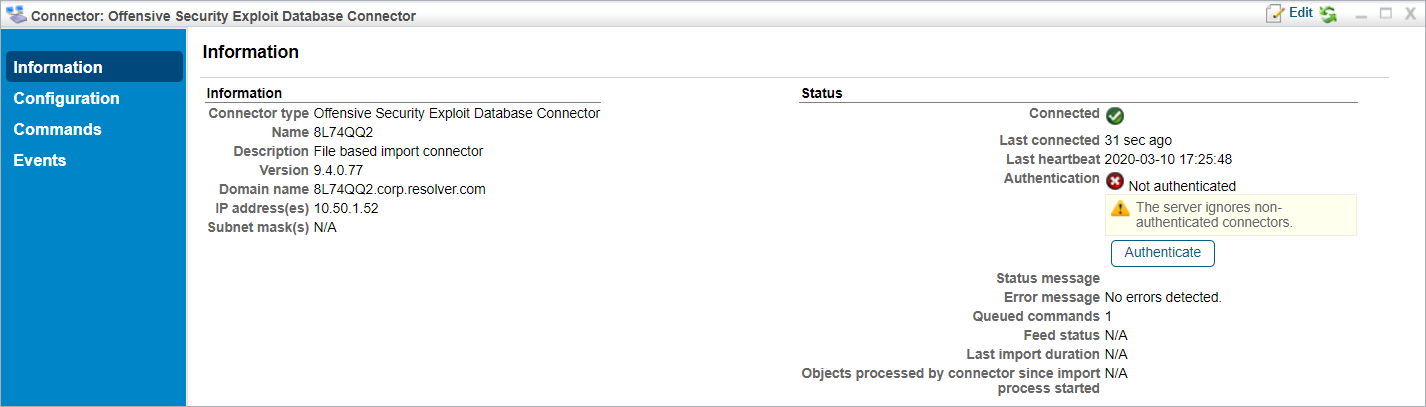 The Exploit Database Connector's details page.